

Description
Download ATNirex – cryptocurrency exchange, digital asset trading, secure crypto platform, margin trading, funding programs, trading tools
Overview
ATNirex is a desktop application designed to serve as a comprehensive cryptocurrency exchange platform, enabling users to trade and hold digital assets in a secure environment. The software aims to streamline the trading experience by offering tools tailored for both novice and experienced traders. Its primary purpose is to provide a reliable infrastructure for executing trades, managing portfolios, and leveraging advanced features such as margin trading and funding programs. The platform is built to support a dynamic trading ecosystem, catering to individuals seeking efficient access to global cryptocurrency markets.
Target users include retail traders, active investors, and individuals interested in leveraging financial tools to enhance their trading strategies. The application is designed to operate on desktop systems, allowing for a stable and uninterrupted trading session compared to browser-based alternatives. Real-world usage scenarios may include day trading, long-term asset holding, and utilizing margin positions to increase potential returns. The developer, ATNirex, has positioned the software as a secure and transparent solution for digital asset management.
While specific details about the developer’s background are not available beyond the name, the platform emphasizes security, transparency, and user empowerment. The software does not specify additional system requirements beyond the operating systems it supports. Performance and scalability details were not provided by the developer.
Key Features & Capabilities
- Margin Trading Support: Enables users to open leveraged positions, increasing exposure to market movements. This feature is suitable for traders aiming to amplify potential gains, though it also carries higher risk.
- Funding Programs: Offers access to funding up to $200,000, designed to accommodate various trading styles and risk profiles. These programs may support larger trade volumes and extended positions.
- Secure Digital Asset Management: Implements advanced security protocols and encryption mechanisms to protect user funds and personal data during transactions and storage.
- User-Friendly Interface: Designed with intuitive navigation and visual tools to simplify trade execution, portfolio monitoring, and position management.
- Comprehensive Trading Tools: Includes analytical features and real-time data access to support informed decision-making in fast-moving markets.
These capabilities are intended to enhance trading efficiency and accessibility. For example, margin trading allows users to open positions larger than their capital, while funding programs may assist in scaling trading operations. The interface is structured to minimize learning curves, making it suitable for users transitioning from mobile or web platforms. The software does not specify integration with external data sources or third-party tools.
User Interface, Workflow & Performance
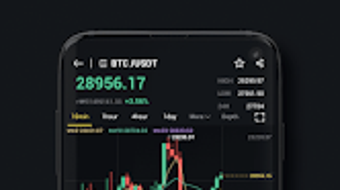
The user interface of ATNirex is structured to prioritize clarity and functionality, with a layout optimized for trading workflows. Key elements such as order books, price charts, account balances, and trade history are organized into accessible panels. Navigation is designed to be intuitive, with menu systems and toolbars that allow quick access to core functions like placing trades, managing positions, and adjusting margin settings.
Workflow efficiency is enhanced through streamlined processes for order execution and position management. Users can execute trades with minimal clicks, and real-time updates help maintain situational awareness during active trading sessions. The desktop nature of the application suggests a more stable and responsive experience compared to browser-based platforms, especially during high market volatility.
Performance details were not specified by the developer. General expectations for desktop applications of this type include low latency and consistent responsiveness. The developer did not provide information on CPU or RAM usage, nor did they share data on stability under prolonged use. Resource consumption behavior remains unknown, though typical applications in this category tend to operate efficiently on modern systems.
Compatibility & System Requirements
ATNirex is compatible with both Windows and Mac operating systems, making it accessible to a broad range of desktop users. The software version is listed as 1.0, indicating an initial release. The installation size is 128 MB, which is relatively lightweight for a trading platform with advanced features.
Exact system requirements were not listed. The developer did not specify minimum CPU, RAM, or disk space thresholds. Compatibility with older or low-end hardware remains unconfirmed. Users are advised to ensure their system meets general standards for running desktop applications, especially those involving real-time data processing and network connectivity.
Installation is straightforward, though the process details were not provided. The application does not appear to require additional runtime environments or dependencies beyond standard OS support.
Pros and Cons
Pros
- Designed for secure digital asset trading with built-in encryption and security protocols.
- Offers margin trading and high-value funding programs for experienced traders.
- Lightweight installation size of 128 MB.
- Available for both Windows and Mac users.
- Free to download and use, reducing entry barriers for new users.
Cons
- System requirements and performance metrics were not disclosed by the developer.
- No information on long-term stability or update frequency.
- Limited transparency regarding developer background and company history.
- Real-world user feedback or third-party verification is not available.
- Desktop application may require regular updates for security and compatibility.
FAQ Section
Is ATNirex compatible with my Windows or Mac system?
Yes, ATNirex is designed to run on both Windows and Mac operating systems. Specific compatibility details with older or low-end hardware are not provided.
Is ATNirex safe to use for trading digital assets?
The software implements advanced security protocols and encryption mechanisms to protect user data and funds. However, no third-party audits or security certifications were mentioned in the available information.
How often are updates released for ATNirex?
The update schedule was not specified. Users should check the official source for the latest version and any announced improvements or fixes.
Does ATNirex require a paid license to use?
No, ATNirex is available for free. There are no indications of subscription fees or in-app purchases within the provided information.
Can I use ATNirex offline after installation?
While the software can be installed locally, trading functionality requires an active internet connection. Offline use for viewing historical data or managing settings is possible but limited.
Final Thoughts
ATNirex presents a compelling option for users seeking a desktop-based cryptocurrency exchange with advanced trading tools. Its focus on security, margin trading, and funding programs suggests a platform tailored for active traders looking to maximize opportunities in digital asset markets. The lightweight footprint and cross-platform availability enhance accessibility, while the free pricing model lowers the barrier to entry.
However, the lack of detailed system requirements, performance data, and developer transparency limits the depth of evaluation. Users should proceed with caution and verify the platform’s legitimacy before committing funds. Despite these gaps, the software’s core features align with modern trading expectations.
For traders who value a secure, feature-rich desktop environment for managing digital assets, ATNirex offers a promising foundation. Download ATNirex now to explore its capabilities and begin your trading journey with confidence.
Guides & Tutorials for ATNirex
How to install ATNirex
- Click the Preview / Download button above.
- Once redirected, accept the terms and click Install.
- Wait for the ATNirex download to finish on your device.
How to use ATNirex
This software is primarily used for its core features described above. Open the app after installation to explore its capabilities.
User Reviews for ATNirex 0
No reviews found





